

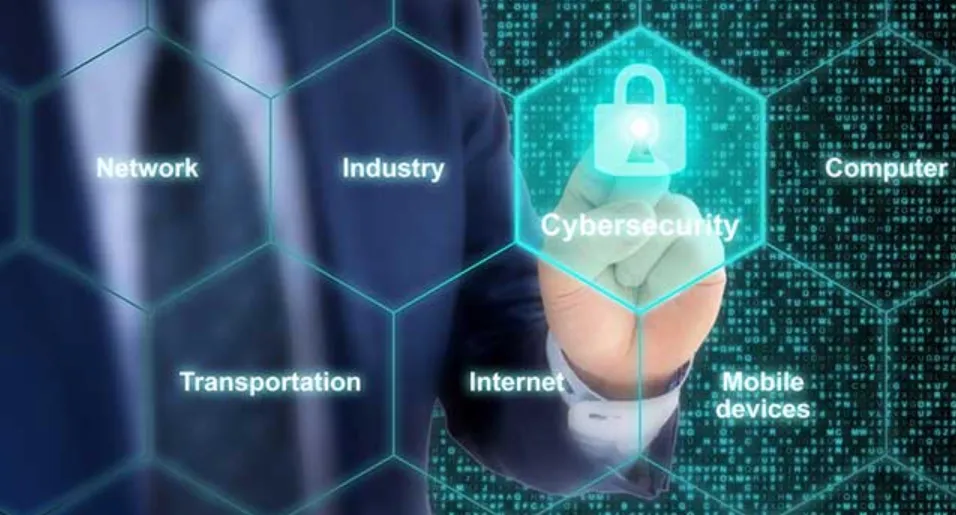
Businesses now face huge security challenges because everything links up through digital networks. They rely on tech for nearly everything – how they work inside, customer details, what happens online – so keeping data safe is vital. Generally, the IT team handles keeping these systems safe. They do much more than just fix computers – they actively guard against online dangers, data leaks, crashes, alongside other weaknesses.
IT teams safeguard companies by handling security – a critical job for keeping things running smoothly, protecting what people think of the business.
1. Implementing Strong Access Controls
IT departments fundamentally handle who gets into what. Protecting systems, confidential info, also internal data requires limiting access to approved personnel. To verify identities plus maintain responsibility, teams deploy things like strong passwords, MFA, alongside RBAC.
Keeping data access to what people need for their work cuts down on both mistakes and deliberate abuse. It’s a key move toward safeguarding against problems coming from within – be they slips of the hand or something worse.
2. Monitoring System Activity and Detecting Threats
Often, cyberattacks slip by without anyone realizing something’s wrong – until after harm occurs. Consequently, IT teams keep a constant watch on what happens across networks, how people are using systems, also how well everything runs. Utilizing sophisticated programs, they spot odd happenings, like strange logins or unusual movement of information, as it unfolds.
Keeping a close watch lets a company act fast when trouble brews, lessening damage from attacks. Spotting things early matters; threats like ransomware move swiftly, potentially wrecking business if ignored.
3. Ensuring Data Backups and Recovery Systems
Stuff happens – hard drives crash, hackers strike, floods come along – so important data gets lost. Because of this, tech teams build solid plans to get things back on track. They routinely copy info, keep duplicates safe away from here (or online), then practice restoring everything just to be sure it works when needed.
When things go wrong, good data backups get you back on your feet quickly, so work doesn’t stop. Keeping everything running – that’s a key job for those who handle computer safety.
4. Managing Software and System Updates
Outdated software is one of the most common entry points for cyberattacks. Many hackers exploit vulnerabilities in older system versions to gain unauthorized access. IT departments are responsible for deploying updates, patches, and upgrades to ensure that all digital tools remain secure and functional. One of the essential solutions used for handling updates is patch management software, which helps track and automate patch deployment across multiple devices and systems.
By ensuring timely updates, IT teams prevent attackers from exploiting known weaknesses and strengthen the overall system security posture.
5. Conducting Employee Training and Awareness
Security systems, however sophisticated, crumble when people don’t spot danger. Attacks that trick individuals – like those using fake emails – thrive on mistakes. Consequently, IT teams must teach everyone what to watch for through classes, clear rules, alongside campaigns designed to keep them alert.
Staff discover ways to spot tricky emails, protect sensitive data, likewise use tech wisely. A strong focus on staying safe online really lowers dangers to the business.
6. Developing Security Policies and Compliance Standards
Groups require clear security rules detailing how people should act, what safeguards to use, then how to react when things go wrong. The IT team crafts those rules while also making certain everything aligns with laws – like GDPR, HIPAA, or ISO standards – relevant to their work.
Good security rules give folks direction; moreover, they shield the company from legal trouble should something go wrong.
7. Incident Response and Crisis Management
Even with precautions, trouble happens. A ready IT team tackles these issues head-on – stopping damage, figuring out what went wrong, getting things working again, then recording everything so they learn from it.
When trouble hits, a swift reaction limits harm while getting things back on track fast.
Conclusion
Keeping businesses safe online gets trickier by the day, so IT pros are more important than ever. They handle who can get where within a system, keep watch on everything, teach staff about threats, also oversee security software – basically, they’re the core of protection. Because of their work, companies dodge money troubles, stay running smoothly, maintain good names.
With cyberattacks getting trickier, companies need capable tech leaders, up-to-date defenses, alongside ongoing training. Being safe doesn’t just mean bouncing back from trouble – it means thriving despite constant shifts online.