

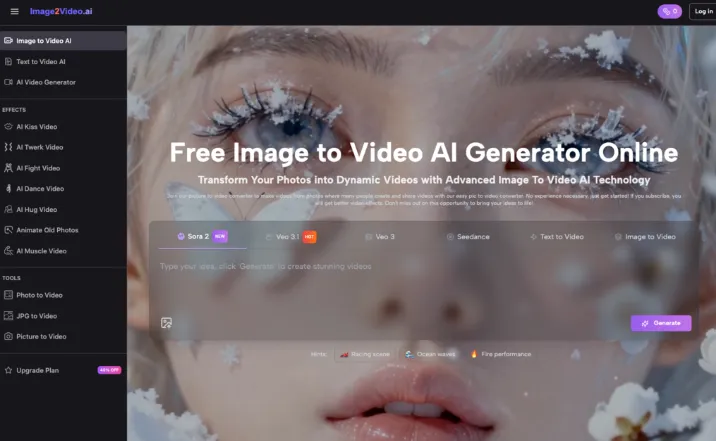
As a SaaS copywriter with over two years of hands-on experience testing AI image and video tools, I’ve seen firsthand how Image to Video AI can transform static photos into engaging videos. It’s especially useful for content creators and small teams who need consistent visual content without deep expertise in design or production. In this guide, I’ll share practical insights on why many struggle to get real value from photo to video, how to start realistically even without advanced skills, and key mistakes to avoid early on. Whether you’re a solo marketer or part of a small team, this article aims to help you move from confusion to effective workflows.
Why Many People Struggle to Get Value from Image to Video AI
People often dive into Image to Video AI expecting instant magic. They upload a photo and hope for a polished video, but reality hits when the output feels off. A big reason is mismatched expectations—Image to Video AI relies heavily on your prompt text to animate images, and vague descriptions lead to awkward results.
Technical hurdles add to the frustration. Beginners might not know about supported formats like JPEG or PNG, causing upload errors. Processing times are usually quick, around five minutes, but unstable internet or complex prompts can make it drag. Many give up after a few tries, missing the chance to refine their approach.
In my own early experiments with Image to Video AI tools, I hit similar walls. I’d upload a photo, type a hasty prompt, and end up with something underwhelming. It taught me that understanding the tool’s basics—like how it adds transitions and animations—makes all the difference. Without that, it’s easy to feel like the tech isn’t delivering.
How to Get Started with Image to Video AI Without Advanced Skills
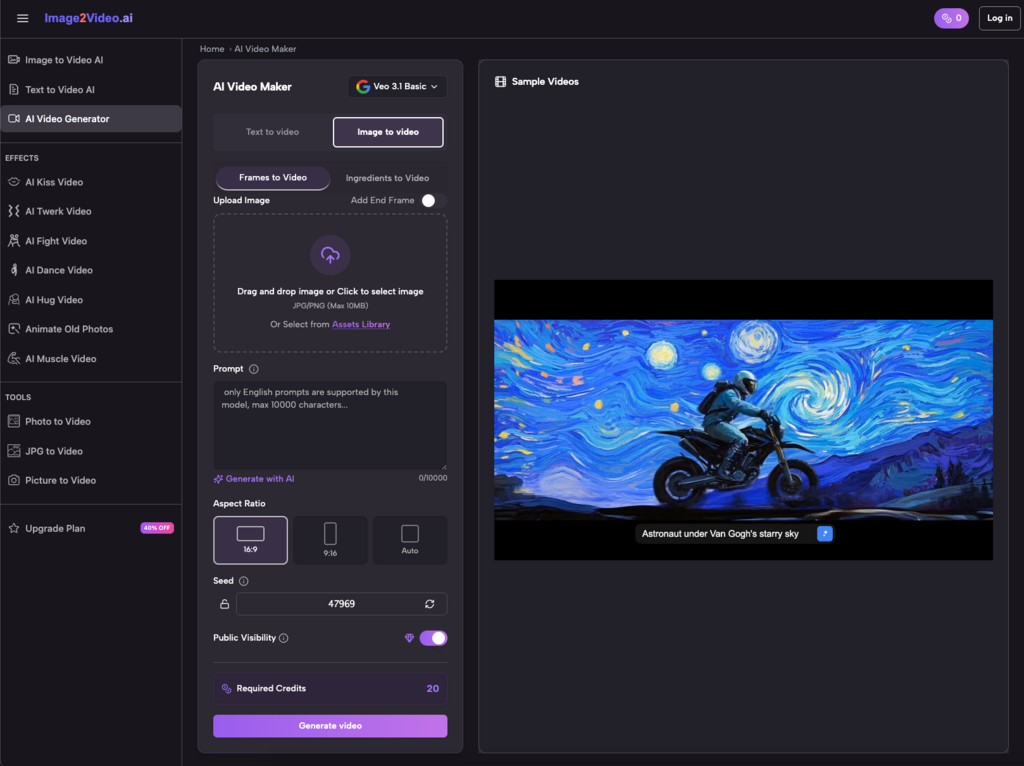
The beauty of Image to Video AI is its accessibility—you don’t need pro-level skills to begin. Start by picking a free online converter that lets you upload photos directly from your browser. Choose a high-quality JPEG or PNG image, then follow the simple steps to transform it.
Next, craft a clear prompt in natural language describing what you want. For example, say “Animate this landscape photo with gentle panning and subtle zoom to show a sunrise.” Image to Video AI processes this, turning your static photo into a dynamic MP4 video in minutes. Once it’s done, download and review it.
To build confidence, practice with basic personal projects. I remember starting with family photos, experimenting with prompts to add music or effects. It made the learning curve feel manageable and showed me how Image to Video AI could fit into everyday content creation without overwhelming me.
Here’s a quick checklist to ease your start:
- Select clear, high-res images.
- Keep prompts concise and specific.
- Test on a stable connection.
- Review outputs immediately for tweaks.
Common Early Mistakes to Avoid When Adopting Image to Video AI
Jumping in without preparation leads to pitfalls. One frequent error is overloading prompts with too many details, confusing the Image to Video AI and resulting in messy videos. Stick to essentials like key movements or themes to keep things smooth.
Another mistake is ignoring file compatibility. Not all photos work seamlessly—blurry or low-res inputs often yield poor photo to video conversions. Always check formats and quality upfront.
Many overlook iteration. Your first output might not be perfect, but tweaking prompts based on results improves it fast. I learned this the hard way: my initial attempts at image to video for marketing felt clunky until I iterated, making the process less intimidating over time.
Avoid rushing into complex projects. Begin small, like turning a single photo into a short clip, before scaling to sequences. This builds habits without burnout.
Building Simple Workflows for Image to Video AI Success
Once you’re past the basics, focus on repeatable workflows. Start each session by organizing your photos—group them by theme for easier photo to video batches. Use Image to Video AI to generate quick drafts, then refine.
For content creators, integrate it into your routine: upload a gallery, prompt for storytelling animations, and export for social media. It’s like having an automated editor that handles the heavy lifting.
Small teams can collaborate by sharing prompt templates. In my experience, this turned scattered efforts into streamlined ones, reducing time spent on video production.
Consider these workflow tips:
- Batch process similar images.
- Save successful prompts for reuse.
- Combine with free editing tools for polish.
Real-World Applications of Image to Video AI for Non-Experts
Image to Video AI shines in everyday scenarios. Marketers can turn product shots into animated ads, boosting engagement without a video crew. It’s straightforward: upload, prompt for dynamic showcases, and share.
Content creators benefit by animating photo galleries into vlogs or thumbnails. Imagine transforming travel snaps into moving stories—Image to Video AI makes it possible with minimal effort.
Educators use it to animate diagrams into lessons, making concepts pop. Social media managers keep feeds fresh by converting static posts to videos optimized for platforms like Instagram.
For personal use, create montages from family photos. E-commerce folks elevate listings with 360° views from simple images. These applications show how Image to Video AI fits real needs without expertise.
Overcoming the Learning Curve in Image to Video AI
The adoption phase can feel steep, but breaking it down helps. Focus on one feature at a time, like transitions, before adding music or text.
Experiment freely—most tools are web-based and free to try, supporting mobile devices too. If outputs are short (like five seconds), chain them for longer videos.
I found that tracking what works in a simple notebook accelerated my progress. It shifted Image to Video AI from a novelty to a core tool, making content creation feel less overwhelming.
Tips for Optimizing Your Image to Video AI Experience
Refine prompts with specifics: instead of “make it move,” say “add smooth zoom on the main subject.” This leverages Image to Video AI’s strengths in animations and effects.
Test across devices—it’s mobile-friendly, so create on the go. For photo to video quality, start with well-lit images.
If data security worries you, note that platforms often use encryption. And remember, no downloads needed; it’s all online.
Conclusion: Embrace Image to Video AI for Practical Gains
Image to Video AI isn’t about perfection—it’s about accessible creation. By managing expectations, starting simple, and avoiding early mistakes, you can integrate photo to video into your workflow effectively. From my hands-on time, it’s made producing dynamic content straightforward, even for non-experts. Give it a try, iterate, and watch how Image to Video AI transforms your photos into videos that engage and inspire.