

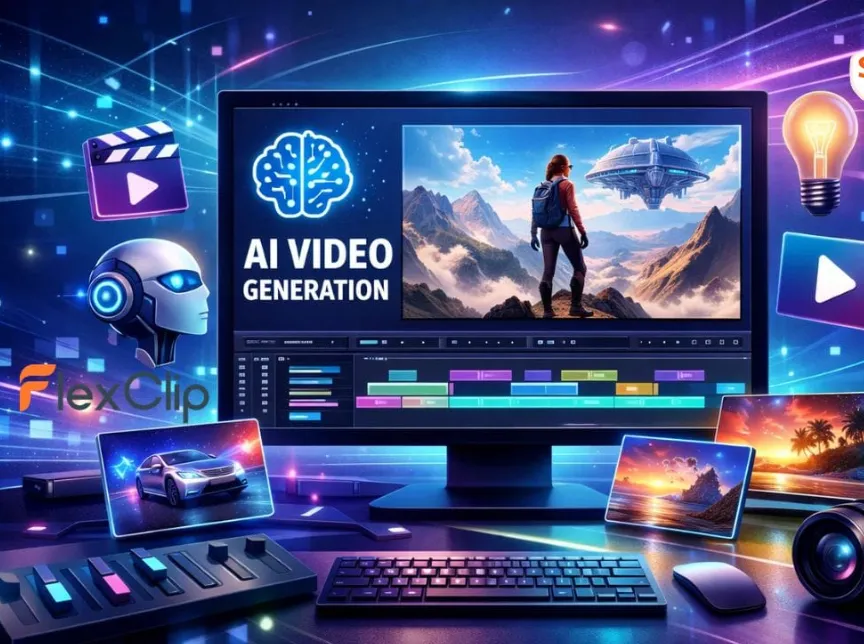
AI video generation is changing the way small businesses create content. Instead of needing a full production crew or expensive editing software, companies can now produce marketing videos, product showcases, and social media ads in minutes.
This levels the playing field and lets small brands compete with big-budget campaigns using affordable, accessible tools.
But there’s a catch: the AI video landscape is crowded. Platforms vary wildly in quality, pricing, features, and licensing terms, making it hard to know which one is actually worth using.
This article breaks it all down and helps small business owners find the best AI video generator based on output quality, speed, creative needs, and budget.
Why Small Businesses Are Turning to AI Video Generators
With audiences expecting polished videos across every platform, brands need a faster, more affordable way to produce them without sacrificing quality. Here’s where AI video generators step in.
- Social media ads: Create eye-catching vertical videos for Instagram, TikTok, and Facebook in minutes.
- Product demo videos: Showcase features, unboxings, and how-tos without hiring a videographer.
- Customer testimonials & explainers: Turn scripts, images, or transcripts into engaging story-driven content.
- Event promotions: Quickly build hype videos for launches, sales, and local events.
- Website hero videos: Generate clean, on-brand visuals to elevate landing pages.
- Personalized content for email campaigns: Add dynamic, attention-grabbing visuals to boost click-through rates.
- Faster content creation overall: Produce high-quality videos at scale without needing a full production team.
Key Features Small Businesses Should Look For
Having the right tool can save hours, simplify workflows, Gemini Omni Biography Video Generator and keep your brand looking sharp across every platform. Here’s what to look for:
- Ease of use – Look for intuitive editors with templates, drag-and-drop tools, and beginner-friendly workflows.
- High-quality image-to-video & text-to-video – The platform should turn simple prompts or images into smooth, professional motion.
- Multi-aspect ratio formats – Support for 9:16, 1:1, and 16:9 ensures your videos fit TikTok, Instagram, YouTube, and websites without re-editing.
- Brand consistency tools – Upload your logo, colors, fonts, and style presets to keep everything on-brand.
- Fast rendering speeds – Small teams need quick turnaround. Make sure the tool has no long waiting hours for exports.
- Stock assets + AI-generated assets – Access to footage, photos, animations, and AI-generated visuals all in one place boosts creativity and speed.
- Voiceover integration – Built-in AI text-to-speech or voiceover tools help you create narrations without hiring talent.
- Clear commercial licensing – Ensure the platform offers rights-safe exports suitable for ads, websites, and branded content.
- Affordable pricing – Transparent, flexible plans matter, especially for growing businesses managing tight budgets.
Top AI Video Generator Models for Small Businesses
Here are the top AI video generator models small businesses should consider, each with strengths that fit different marketing and content needs.
Kling 3.0
Kling 3.0 delivers stunning, high-fidelity visuals that look like they came straight out of a professional studio. Small businesses love it for product ads, hero visuals, and vertical social content, thanks to its smooth motion, realistic lighting, and detailed textures. If you want your brand to look premium without hiring a full crew, Kling is one of the strongest options. It also excels in multi-shot sequences, helping businesses create mini-campaigns or product stories in one go.
Grok Imagine Video
Grok Imagine Video stands out for its speed and the ability to generate visuals across multiple aspect ratios without losing quality. Its text rendering is unusually accurate for an AI generator, making it ideal for social ads, announcements, and tutorial-style content where on-screen text needs to be crisp. Small teams that need fast turnaround will appreciate its responsiveness and reliability.
Google Veo
Google Veo delivers polished, cinematic results with highly realistic motion and clarity. It’s excellent for brand stories, customer testimonials, lifestyle visuals, and narrative-style ads. If your small business wants a premium feel or you’re building videos that rely heavily on mood, pacing, and visual storytelling, Veo is a strong contender.
Luma Dream Machine
Luma’s Dream Machine specializes in fluid motion, expressive visuals, and imaginative scenes. This makes it perfect for creative ads, branding campaigns, and conceptual visuals. It’s especially useful for small businesses that want eye-catching, scroll-stopping content.
Using a Premium Creative Resource Platform for AI Video Generation
Instead of subscribing to multiple standalone tools, many small businesses benefit from using a premium creative resource platform that bundles everything under one roof. These platforms typically include text-to-image AI video generators alongside licensed stock footage, music libraries, sound effects, templates, motion graphics, and editing assets. This means you get a one-stop creative ecosystem rather than piecing together tools and content from different sources.
One of the biggest advantages is unified, commercial-safe licensing. When you generate AI video content or pull assets from the platform’s library, you don’t have to worry about unclear rights or unexpected copyright claims on platforms like YouTube, Instagram, or TikTok. This is especially valuable for businesses that use video across multiple channels or in paid advertising.
Premium platforms also streamline workflow by providing consistent style presets, brand assets, and collaboration features. These are ideal for small teams or solo creators who need to produce polished content quickly without juggling subscriptions, billing, or licensing terms.
For many small businesses, this all-in-one approach accelerates video production while reducing legal and operational friction.
Ethical & Licensing Considerations
When small businesses use AI-generated videos (especially for ads), it’s crucial to understand the ethical and licensing implications. Not all AI tools provide transparent rights, and unclear ownership can lead to copyright issues or takedowns. Always confirm that both the AI model and any included stock assets (like people, products, or locations) offer full commercial usage rights.
Be cautious with AI-generated humans or brand-like imagery, as they may unintentionally resemble real individuals or trademarks. Choosing platforms with clear licensing and vetted assets helps avoid legal problems, protect your brand reputation, and ensure every video is safe for commercial use.
Parting Thoughts
AI video generators are giving small businesses the power to create high-quality content without big budgets or production teams. The key is choosing a tool that balances quality, speed, ease of use, and reliable licensing. With the right platform, even the smallest brand can produce polished, engaging videos that compete with major players. And do it faster than ever!