

Choosing the right server is one of the most important decisions a business can make for its IT infrastructure. A server affects everything from system performance to data security and long-term scalability. Whether you’re a small business upgrading for the first time or an established company expanding infrastructure, finding a server that aligns with your needs is essential.
When evaluating components, consider integrating high endurance industrial SATA SSD solutions, as they provide exceptional reliability and performance for demanding workloads, ensuring data integrity and faster access speeds.
This guide walks through key factors that influence server selection and offers practical insights to help you make the right choice for your business.
1. Understand Your Business Requirements
Start by evaluating your specific business needs. What functions will the server handle? File storage? Web hosting? Email systems? Data analytics? Virtualization? Each workload has different requirements, and the right server depends on matching its capabilities to those demands.
Also, consider the number of users who will access the server. A small team with light usage needs a different setup compared to a large enterprise running resource-intensive applications across multiple departments.
Important questions to ask include:
- What are the server’s primary tasks?
- How many users will connect simultaneously?
- What are the uptime expectations?
- Do you need space for future growth?
By defining these parameters, you’ll have a clearer picture of the kind of server that will best support your operations.
2. Consider Performance and Hardware Specifications
Once your business needs are mapped out, focus on the technical details. Key server specs include:
- CPU (Processor): The more powerful the CPU, the faster your server will handle tasks. Choose multi-core processors for multitasking or data-heavy workloads.
- RAM (Memory): More RAM allows smoother multitasking. For light tasks, 8–16 GB may suffice. For virtualization or heavy traffic, consider 32 GB or more.
- Storage: Decide between SSDs (faster, more expensive) or HDDs (larger, more affordable). Many businesses opt for a combination of both.
- RAID Configuration: RAID helps protect data through redundancy. RAID 1 or RAID 5 setups are commonly used in small to mid-sized environments.
- Network Capabilities: Ensure your server supports at least 1 Gbps connections. Faster speeds may be required for high-traffic systems.
For those seeking strong performance at competitive prices, Cloud Ninja server deals are a reliable option. These weekly deals often feature certified, refurbished servers that are tested and ready to use and ideal for businesses upgrading on a budget.
3. Choose the Right Server Type
Servers come in several form factors, each designed for specific setups and scales:
- Tower Servers: Resemble desktop PCs and are suited for small businesses or branch offices with limited space.
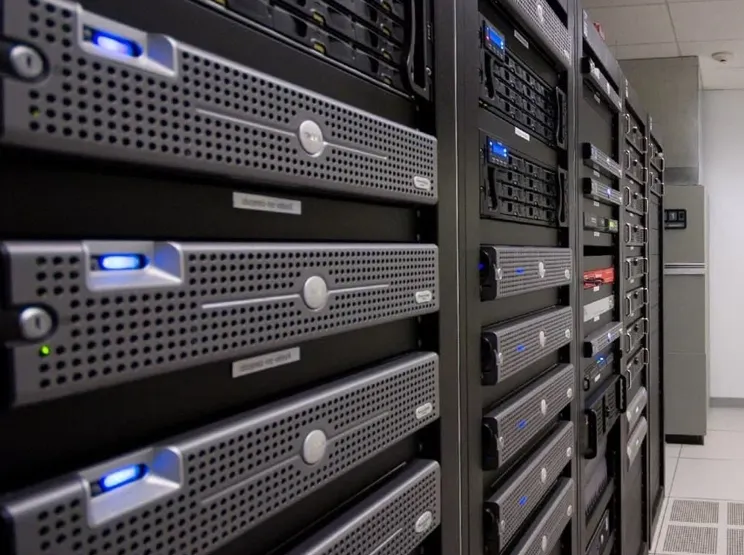
- Rack Servers: Designed to be mounted in server racks, they save space and offer better cable management—ideal for data centers or growing businesses.
- Blade Servers: Ultra-compact servers that share power and cooling with other blades. Best for high-density environments and advanced data processing.
Your choice depends on space, budget, and how much your infrastructure might grow in the coming years. For flexibility and future scalability, rack servers are often the preferred option.
4. On-Premises vs. Cloud Hosting
Another key decision is whether to host servers in-house or go with a cloud-based solution. Each has pros and cons.
- On-premises servers offer greater control, data privacy, and customization. However, they require up-front investment and regular maintenance.
- Cloud servers provide scalability, remote access, and reduced capital costs. But they come with monthly fees and limited control over hardware.
Many businesses are now opting for hybrid models—keeping critical systems on-prem while leveraging the cloud for storage, backup, or less sensitive operations.
5. Plan for Growth and Scalability
Technology needs grow as businesses evolve. The right server should not only meet current requirements but also scale with your goals.
Look for servers that support modular upgrades, such as adding more RAM, expanding storage, or upgrading CPUs. This allows businesses to adapt over time without replacing the entire system.
Software compatibility is also key. Make sure the server supports your existing applications and has room for new platforms as your business expands.
6. Factor in Backup and Redundancy
Data protection should be a top priority. Consider servers with built-in redundancy options like dual power supplies and RAID support. These features keep systems running even if one component fails.
In addition to hardware reliability, plan your backup strategy. Implement regular, automated backups and test them frequently. Data loss due to server failure can be costly and damaging to operations.
Work with a Trusted Supplier
Sourcing your server from a reliable vendor ensures not just hardware quality but also access to support and warranties. This is especially important when considering refurbished or off-lease servers.
The Server Deals of the Week offered by Cloud Ninjas is a valuable resource and known for their tested, enterprise-grade systems and expert customer support, they help businesses find affordable, high-performance servers without compromising quality.
Invest in a Future-Ready Server Strategy
The right server isn’t just a tool, it’s the foundation of your business’s IT success. By carefully evaluating performance, compatibility, scalability, and vendor reliability, companies can avoid costly mistakes and build infrastructure designed for long-term growth.
From understanding your workload to choosing hardware that supports future goals, every decision counts. Whether you’re launching a new system or upgrading your current setup, turning to a proven supplier, Cloud Ninjas, ensures your investment delivers lasting value and performance.